
Before
Fees mixed with embassy money
Your fee, the embassy fee and the courier cost land in one number. Files sit in chats, and a client asking "what do I owe?" takes a search.
Visa consultancies handle high-volume, low-margin transactions with embassy fee pass-throughs and service charges. Travix Cloud keeps fee components separate on each invoice and maintains a running client balance through the application lifecycle.
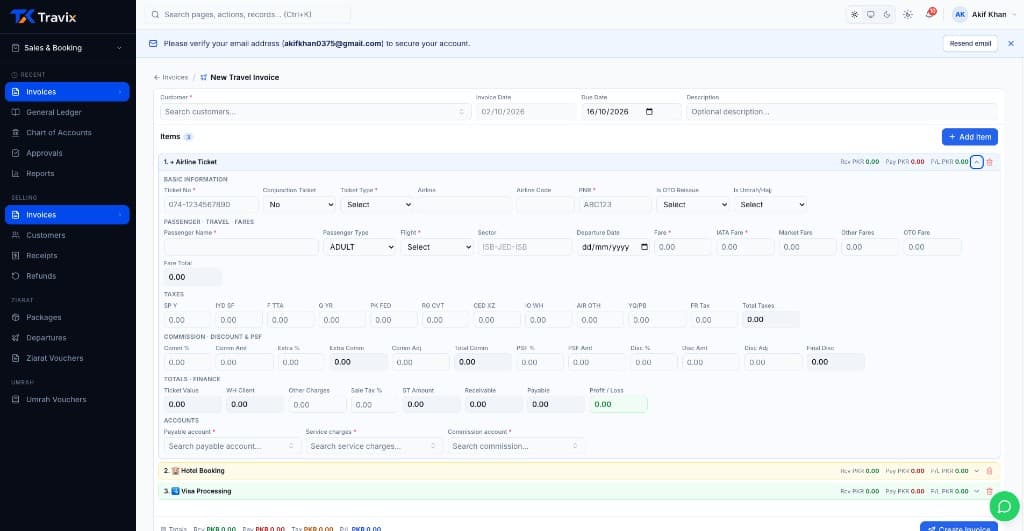
Visa work runs on thin, easy-to-lose margins: an embassy fee, a service fee, maybe a courier charge, all on one application. Travix Cloud keeps those components separate on the invoice line instead of folding them into one number, so a fee change or a rejection refund is a correction to one line — not a rebuild of the whole invoice.
Before
Your fee, the embassy fee and the courier cost land in one number. Files sit in chats, and a client asking "what do I owe?" takes a search.
After
Every visa file keeps your service fee, the embassy cost and the courier cost apart. Client balances are always one click away, and big batches go in from a file.
An example day
This is how the parts fit together for a busy visa consultancy. It is an example, not a customer story.
Morning
Start a visa file with the traveller, the country and the fees you will charge.
Midday
Bring in many visas from a file instead of typing each one.
Afternoon
Record money a client pays up front, and the embassy and courier costs you pay out.
Evening
See each client balance and send a reminder when a payment is late.
Visa-specific line items
Embassy fee, service fee, and markup tracked as separate fields.
OCR document intake
Queued extraction with human review before posting.
Customer sub-ledger
Running balance updated on every fee adjustment.
Refund management
Rejection refunds post as reversals linked to the original invoice.
High-volume voucher support
Professional-plan voucher limits sized for high application counts.
Join the travel businesses that traded spreadsheets and legacy ERP for a platform actually built around how agencies work.